mark williams 7,568 Posted October 5, 2015 Report Share Posted October 5, 2015 testing only 4 Quote Link to post
treecreeper 1,136 Posted October 5, 2015 Report Share Posted October 5, 2015 works Quote Link to post
mark williams 7,568 Posted October 5, 2015 Author Report Share Posted October 5, 2015 Sorry lads/ moxy, trying to teach myself how to upload photos without much luck.(i know wrong place). I have a canon ixus 160 if any one could guide me through it step by step and in plain English please. At least i`m trying eh ? 1 Quote Link to post
bigmac 97kt 13,871 Posted October 5, 2015 Report Share Posted October 5, 2015 Sorry lads/ moxy, trying to teach myself how to upload photos without much luck.(i know wrong place). I have a canon ixus 160 if any one could guide me through it step by step and in plain English please. At least i`m trying eh ? keep at it your doing some thing right mate But you do no the saying dont you you cant teach a 177 dog new tricks atvbmac :thumbs: 1 Quote Link to post
treecreeper 1,136 Posted October 5, 2015 Report Share Posted October 5, 2015 Sorry lads/ moxy, trying to teach myself how to upload photos without much luck.(i know wrong place). I have a canon ixus 160 if any one could guide me through it step by step and in plain English please. At least i`m trying eh ? looks like you sussed it? Quote Link to post
mark williams 7,568 Posted October 5, 2015 Author Report Share Posted October 5, 2015 No my lad says the photo was already sized by him previously, otherwise i`m getting there maybe At least i`m "on target Mac" x ish (any help lads please) 1 Quote Link to post
moxy 617 Posted October 5, 2015 Report Share Posted October 5, 2015 You need to create a photobucket account or similar mark. Upload your pics from your camera or computer to photobucket. It will resize them for you. You them simply find the pic you want to upload into here. Copy the IMG code and paste onto your post. Simples. Quote Link to post
mark williams 7,568 Posted October 5, 2015 Author Report Share Posted October 5, 2015 You need to create a photobucket account or similar mark. Upload your pics from your camera or computer to photobucket. It will resize them for you. You them simply find the pic you want to upload into here. Copy the IMG code and paste onto your post. Simples. Thank you Moxy, i`ll pass this on and then he can draw pictures for me i`m the wrong generation i think. Thank`s mate. Quote Link to post
moxy 617 Posted October 5, 2015 Report Share Posted October 5, 2015 It's easier than it sounds mate. When you do it the once......... There will be no stopping you Quote Link to post
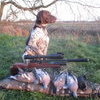
mark williams 7,568 Posted October 5, 2015 Author Report Share Posted October 5, 2015 Just noticed something lads, go back to the first post photo, look at the shot placements (All head shot) in woodland off shooting sticks with the HW 100 kt ( .177). This is why i harp on so much about these rifles and the .177 calibre. Photo`s don`t lie and don`t half help a bit don`t they. atb Quote Link to post
Rez 4,961 Posted October 5, 2015 Report Share Posted October 5, 2015 Near the reply box you'll see this button at the bottom of the threads... 'More reply options' You'll be taken to these options. You see the Attach File bit at the bottom. Click choose files... Your desktop/computer will ask you to navigate to the images on your pc [i use a mac so it will look mighty different to this but I think the principles are the same.] When choosen... It will upload it to the site, but then you 'Add to post'. Make sure your curser is in the location of where you want the image to appear. Quote Link to post
mark williams 7,568 Posted October 5, 2015 Author Report Share Posted October 5, 2015 Your a gentleman Rez x Quote Link to post
Rez 4,961 Posted October 5, 2015 Report Share Posted October 5, 2015 Harsh word Does it make sense? Unsure if it works the same on PC. 1 Quote Link to post
moxy 617 Posted October 5, 2015 Report Share Posted October 5, 2015 What about resizing Rez? Quote Link to post
Rez 4,961 Posted October 5, 2015 Report Share Posted October 5, 2015 What about resizing Rez? Shit. Didn't think about that. I do mine on my phone, so there not very big. Is there not a way the site can crunch the fuel size down? That might be a good one for the website comments bit. If there is one. Quote Link to post

Recommended Posts
Join the conversation
You can post now and register later. If you have an account, sign in now to post with your account.
Note: Your post will require moderator approval before it will be visible.