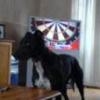
rocket ronnie 243 Posted January 11, 2011 Report Share Posted January 11, 2011 just the dogs........... 1 Quote Link to post Share on other sites
ghillies 209 Posted January 12, 2011 Report Share Posted January 12, 2011 not bad.. (white balance in settings) Quote Link to post Share on other sites
rocket ronnie 243 Posted January 12, 2011 Author Report Share Posted January 12, 2011 what does that do ghillies i was just using the lamp for light without using the flash but the bulb was like a yellow colour as most of the pics i take are of a day i find it hard to get a good pic of a night Quote Link to post Share on other sites
ghillies 209 Posted January 12, 2011 Report Share Posted January 12, 2011 it adjusts things for lighting, cloudy, sunlight, tunfston etc etc, the auto usualy selects the right one. a few of the picture programs have a drop down box so you can change them after th pictures been taken, some good some not so good at it. a lot of bulbs just dont put out the right wave legnths for the sencer's range so even though its blaring out its dark in the image, i have two 500 watt work lights, theyre similar to the securety lights, ok theyre a sourse but on the camera theyre not so hot.. energy saving bulbs are really crapp and give off a sicky pale apearence, just not good good at all, things like a fish tank with those UV lights make a luverly blue on all over the picture (similar to the browning effect with the dogs but blue). in theory set the right white balance it shows up properly, set the rong one you get an 'effect'. what camera is it? Quote Link to post Share on other sites
ghillies 209 Posted January 12, 2011 Report Share Posted January 12, 2011 grabbed one of the doggy browned images, you've left the file info on them. not bad images for 1600 iso. white balance was on auto...hmmm, mrans try the other whitebalance one by one, or click through them on your soft ware to srr ehich is best, but if non come up right its set on a grey card with the custom white balance..not famalular with nikons though. 1/3 of a second on 70mm was way adventurous, good shooting there lol (good holding, or got the dogs to sit nicely lol). Quote Link to post Share on other sites
ghillies 209 Posted January 12, 2011 Report Share Posted January 12, 2011 ... Quote Link to post Share on other sites
rocket ronnie 243 Posted January 12, 2011 Author Report Share Posted January 12, 2011 thanks for that ghillies good bit of information ill give it another go later with different type of light Quote Link to post Share on other sites
KittleRox 2,147 Posted January 12, 2011 Report Share Posted January 12, 2011 So what colours yer suite then ? orange,red or pink lol nice pics mate Quote Link to post Share on other sites
rocket ronnie 243 Posted January 12, 2011 Author Report Share Posted January 12, 2011 last time i looked it was red lol Quote Link to post Share on other sites

Recommended Posts
Join the conversation
You can post now and register later. If you have an account, sign in now to post with your account.
Note: Your post will require moderator approval before it will be visible.